Free spreadsheet pack
A gradebook that does the math, and four trackers that share its class list.
A weighted gradebook with automatic letter grades, plus sheets for missing work, behavior, reading and parent contacts. Type your class list once and every sheet uses it. Works in Excel and Google Sheets.
Get the spreadsheets
Enter your email, confirm it, and the file is yours. One workbook, six sheets, ready for your class list.
No account, no card, no spam. A few emails a year about new templates and free teacher tools, and an unsubscribe link in every one.
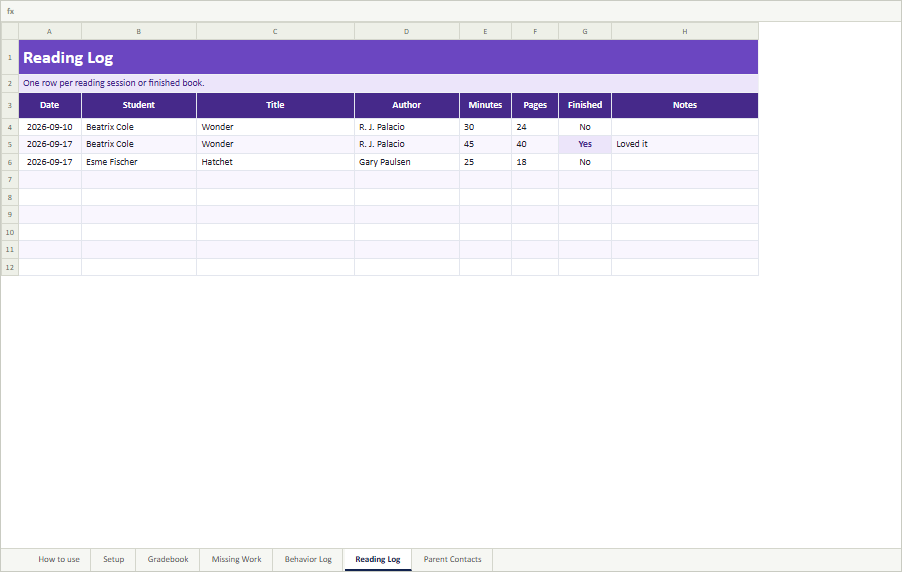
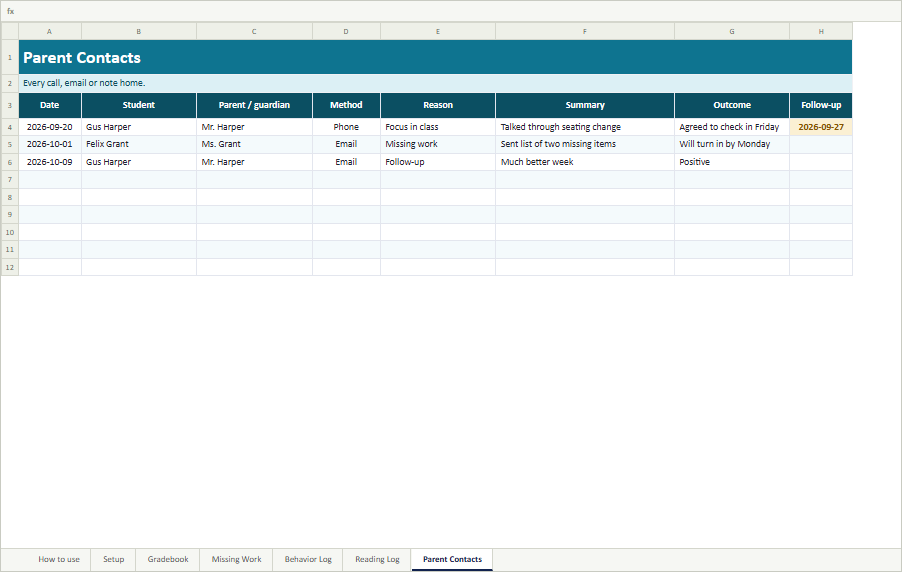
Shown with sample students. Your copy starts empty.
What is in it
One workbook with a setup sheet, a gradebook and four trackers. Every sheet picks up the class list from Setup, so you type each name once.
-
A weighted gradebook
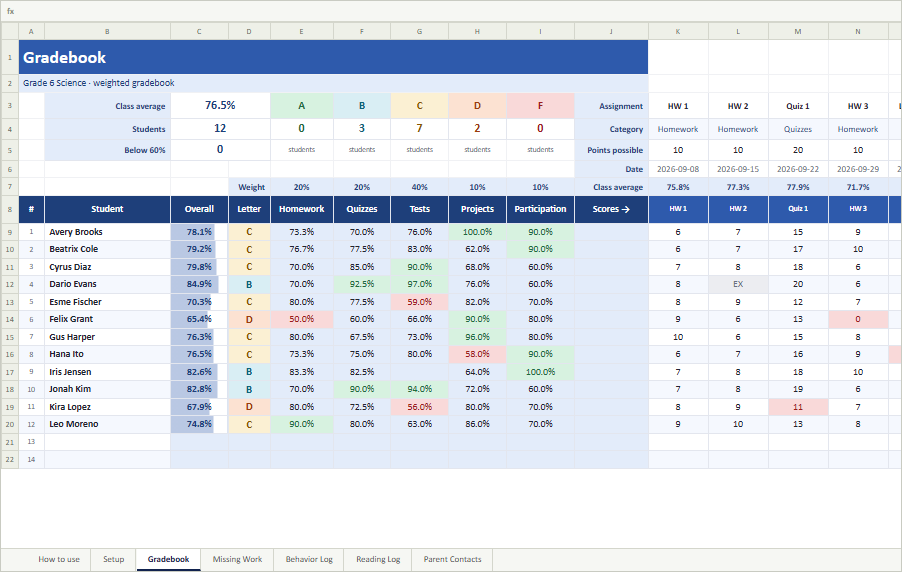
One column per assignment, up to thirty, with a category and points possible for each. The overall percentage, letter grade and an average for every category fill themselves in, and anything below 60% is shaded so it stands out. A class average sits under every assignment.
-
A setup sheet
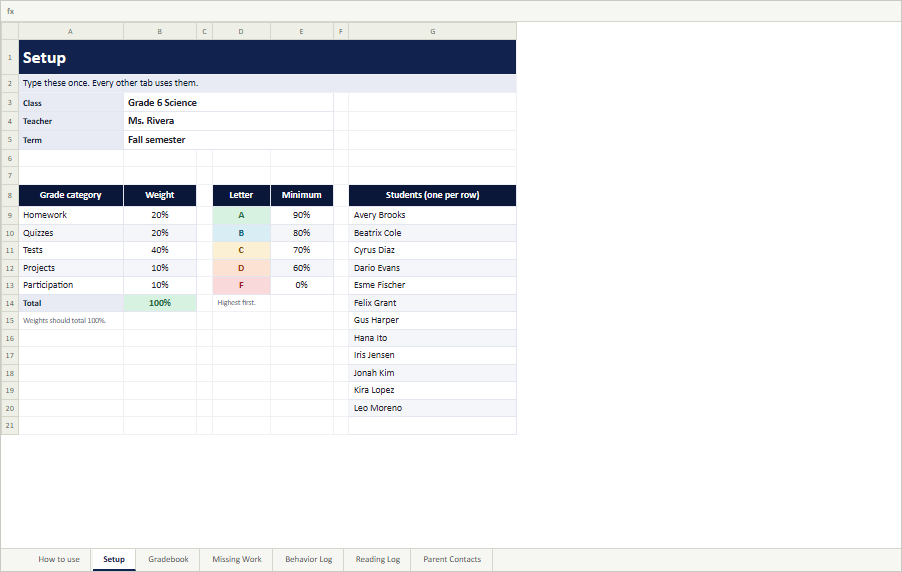
Your class name, five grade categories with their weights, the letter-grade scale and the class list, up to forty students. Change any of it and every sheet updates.
-
A missing work tracker
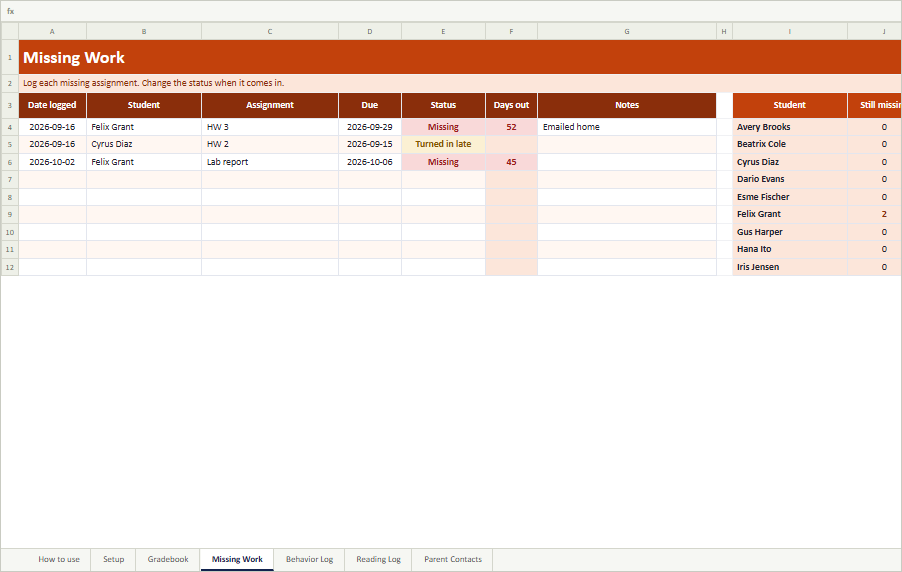
Log the assignment, the due date and the status. It counts the days each item has been outstanding and shows, for every student, how much is still missing and how much came in late.
-
A behavior log
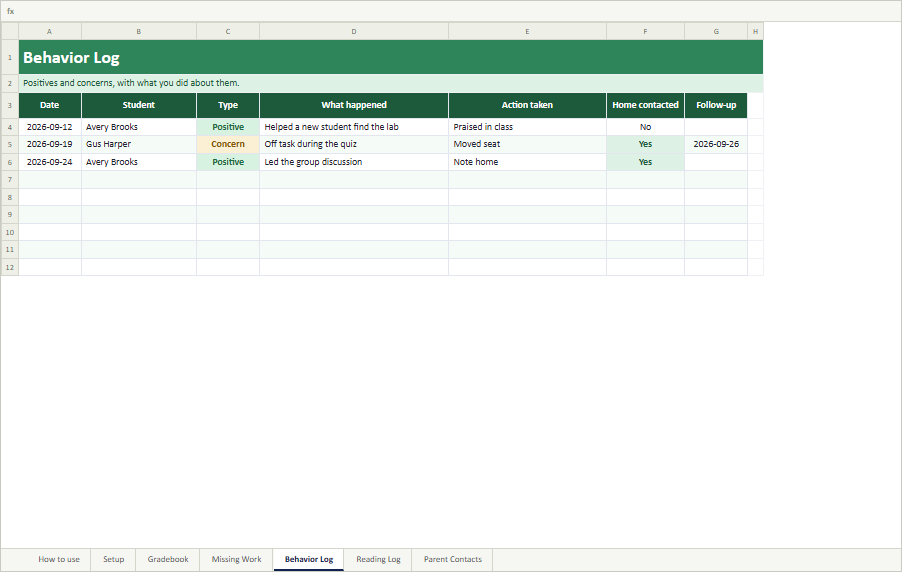
Positives and concerns side by side, with what happened, what you did and whether home was contacted. A table totals both for each student, ready for a conference.
-
A reading log
Titles, authors, minutes and pages. Each student's total minutes, pages and finished books add up on their own.
-
A parent contact log
Every call, email, text or note home, with the reason, the outcome and a follow-up date. It shows how many times you have contacted each family and when you last did.
How the grade is calculated
Each assignment belongs to a category. For each category, the gradebook adds up the points a student earned and divides by the points possible, then combines the categories using your weights: with Tests at 40%, a student's test average counts for 40% of the overall grade.
Two details keep it fair. A cell left blank is not graded yet and does not count, and a cell marked EX is excused and does not count either; only a 0 counts as a zero. And a category with no graded work yet is left out, with the other weights scaled up to fill the gap, so nobody's grade drops in September because the first test is in October.
Want to check one student's grade by hand, or show them what they need on the rest of the term? The free Weighted Grade Calculator does weighted categories in your browser, with a planner for what is needed on the rest.
Excel or Google Sheets
The file is an Excel workbook, and it is built only from formulas that work the same way in both programs. In Excel, just open it. For Google Sheets, upload it to Google Drive, open it, and choose File, Save as Google Sheets. There are no macros and no add-ons, so there is nothing to enable beyond Excel's usual Enable Editing button for downloaded files, and nothing in it connects to AnchorKite. Your grades stay in your file.
Why we ask for an email
Because it lets us tell you about new templates and free teacher tools. We could put the file behind nothing, but then we would have no way to reach the teachers who found it useful.
So: your address, in exchange for the spreadsheets and a few emails a year. We do not sell or share it, there is an unsubscribe link in every email, and unsubscribing does not take the file away from you.
Common questions
Is the spreadsheet pack really free?
Yes. There is no payment, no trial and no paid version. We ask for an email address so we can tell you about new templates and free teacher tools. You can unsubscribe from any email in one click and keep the file.
Does it work in Google Sheets?
Yes. The file is an Excel workbook (.xlsx), and every formula in it is one that works the same way in Google Sheets. Upload it to Google Drive, open it, and choose File, Save as Google Sheets. It also opens directly in Excel 2010 and later, on Windows and Mac.
How does the gradebook calculate the overall grade?
Each assignment belongs to a category, such as Homework or Tests. For each category the gradebook adds up the points a student earned and divides by the points possible, then combines the categories using the weights you set on the Setup sheet. If a category has no graded work yet, it is left out and the other weights are scaled up, so a student is not marked down for a test nobody has taken.
How do I handle excused or missing work?
Type EX in the cell for excused work and leave the cell blank for work that is not graded yet: neither counts against the student. Type 0 for work that was never turned in. Log the missing assignment on the Missing Work sheet too, and its table shows what each student still owes.
How many students and assignments does it hold?
Forty students and thirty assignments per copy, and three hundred entries in each tracker. Use one copy of the file per class or per period, so each class keeps its own list, categories and weights.
Can I change the categories, weights and letter grades?
Yes. The Setup sheet holds five grade categories with their weights and the letter-grade scale. Rename the categories, change the weights to match your syllabus, and set your own cutoffs. The weights should add up to 100%, and the Setup sheet turns the total red if they do not.
Does AnchorKite see my grades?
No. The spreadsheet is a file on your computer or in your own Google Drive. Nothing in it connects to AnchorKite, and there are no macros or add-ons. Your class list and grades stay wherever you save the file.
A gradebook and four trackers. One email. No account.
Prefer paper? The free Classroom Essentials Pack has twelve printable sheets. Find more classroom tools at anchorkite.com/tools/teachers.