Scan
Point the phone camera at the barcode on the back cover, or pull the trigger on a Bluetooth scanner. Missing barcode? Type the ISBN.

Codexia
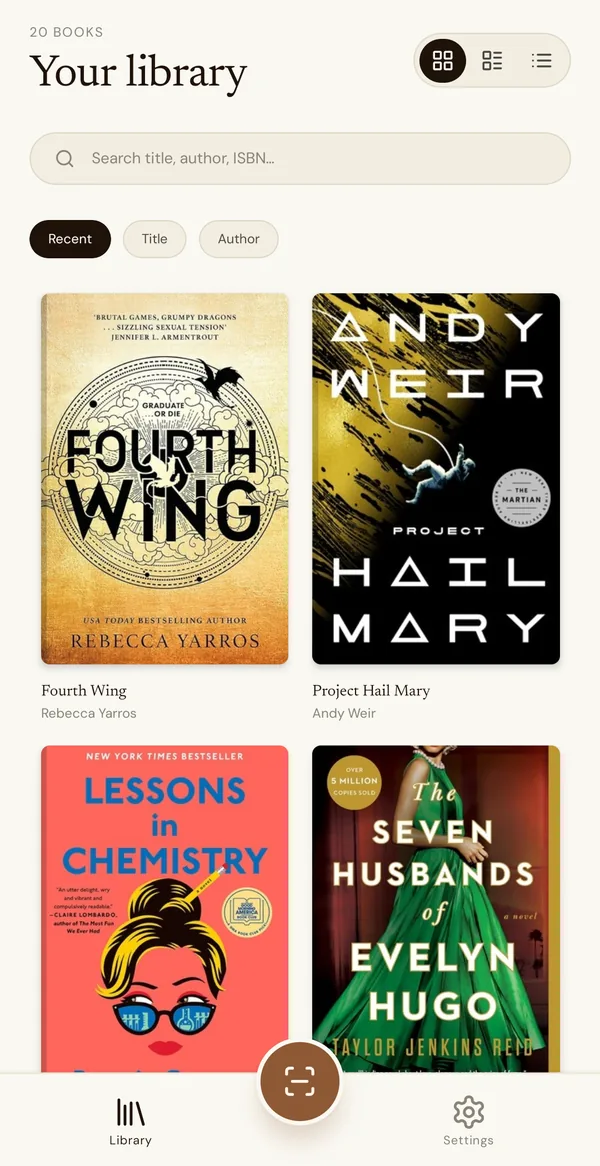
Scan the barcode. That's the whole job. Codexia fills in the title, author and cover, and keeps a searchable catalogue of your shelves on your phone.
Free for 7 days. Android.
How it works
Point the phone camera at the barcode on the back cover, or pull the trigger on a Bluetooth scanner. Missing barcode? Type the ISBN.
Title, author, publisher, year, pages and cover arrive from Open Library. With auto-add on, the book is in your library before you reach for the next one.
Search by title, author or ISBN and the answer is instant, with or without a signal. Grid, list or compact view; sort by recent, title or author.
Inside the app
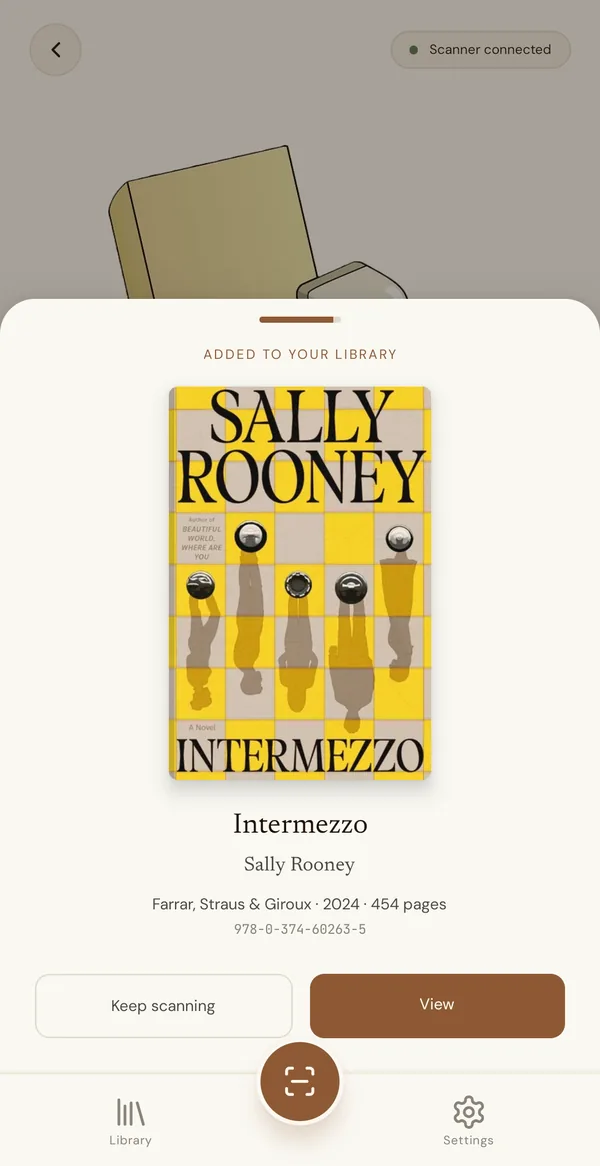
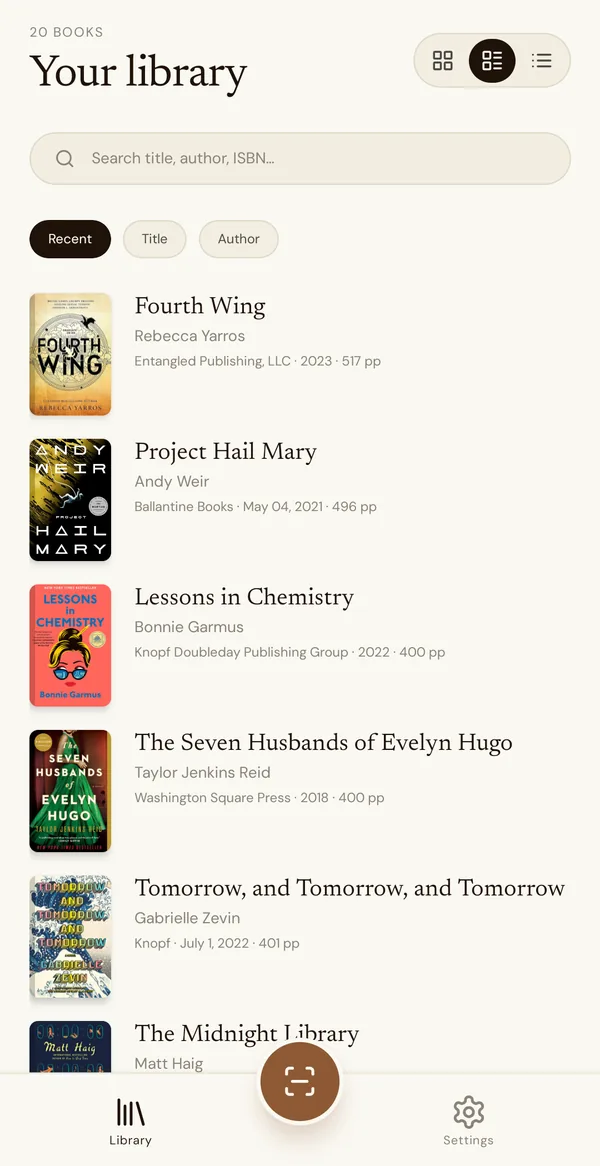
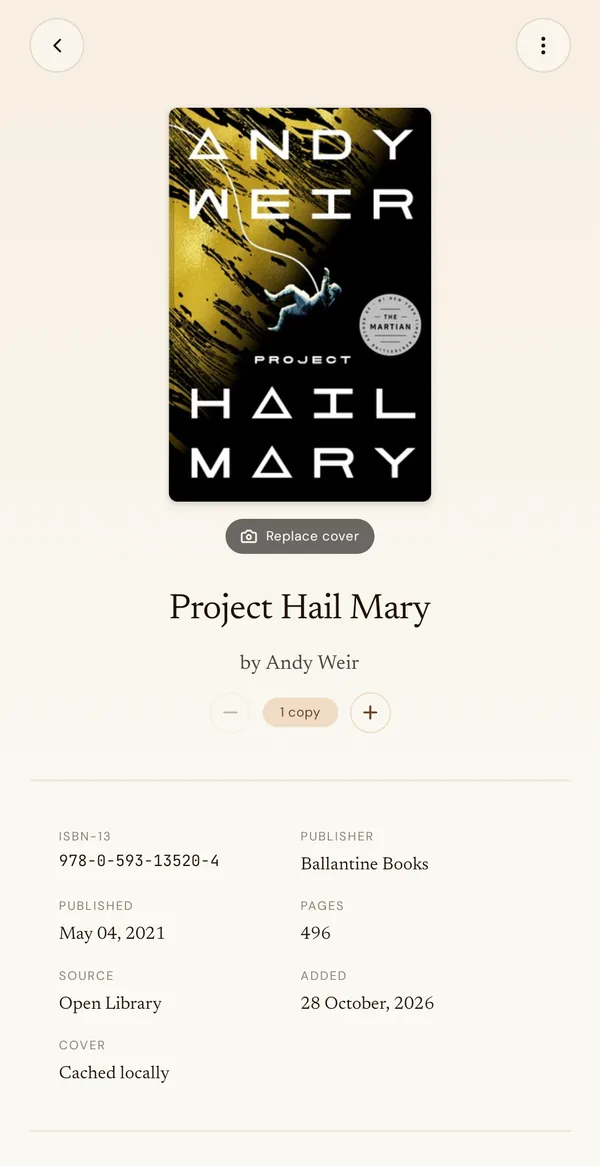
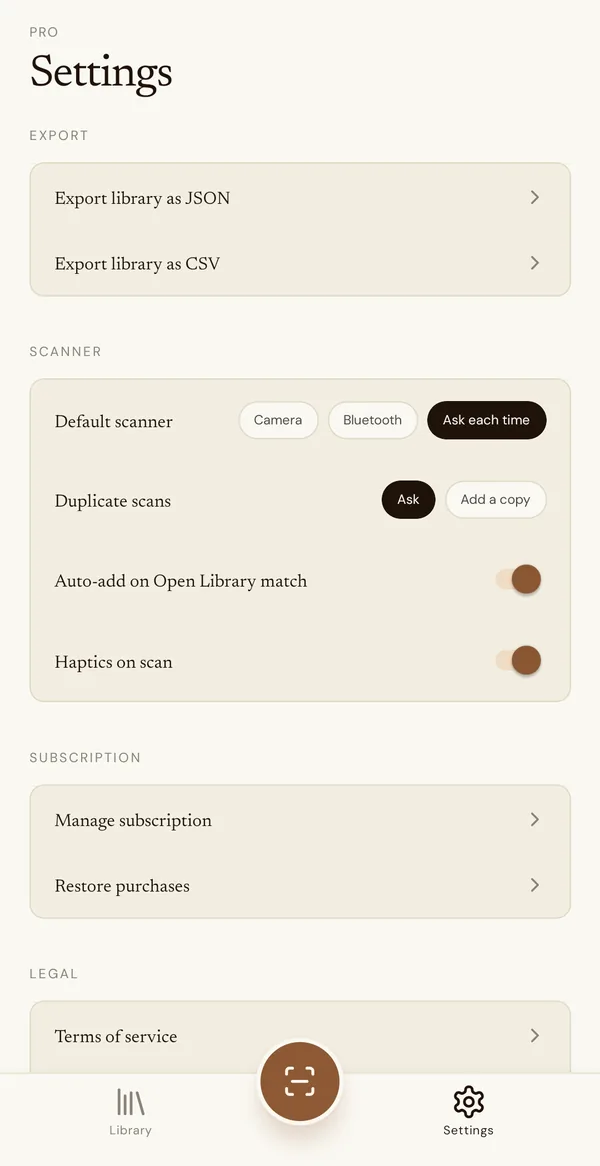
Swipe for more screens.
What it does
Reads the EAN-13 barcode printed on almost every book since the 1970s. Manual entry for the ones that lost theirs.
Full-text search across titles, authors and ISBNs, answered on the phone itself. In the basement, in the shop, on a plane.
Track several copies of one title. Scan a duplicate and Codexia asks, or adds another copy automatically if you set it to.
When Open Library has no artwork, take a photo of the book or pick one from your gallery. Covers are cached on the phone.
Take the whole library out whenever you like: a spreadsheet for insurance or a sale list, JSON for anything else.
Cover grid, list or compact rows, sorted by recently added, title or author.
Scanner or camera
Codexia works the same either way. Choose one as the default in Settings, or have it ask each time.
Best for a home library or a shelf at a time.
Best for classroom libraries, collections and shops.
Either way, auto-add keeps the rhythm going: a book that Open Library recognises goes straight into the library, and the result sheet hides itself after a few seconds.
Who it's for
Home and collectors
Know what you own before the bookshop, keep a record for insurance, and find the one you lent out. Series, first editions, the whole wall.
Classrooms
Catalogue the books you bought yourself, see how many copies of a class set you still have, and export the list for the school or for next year.
The free AnchorKite teacher tools cover the rest of the room.
Sellers and shops
Multiple copies per title are the point, not a mistake. Set duplicate scans to add a copy, scan a box with a Bluetooth scanner, and export a CSV of what's on hand.
Pricing
Monthly
$4.99 / month
7-day free trial. Cancel anytime in Google Play.
Half the monthly price
Yearly
$29.99 / year
7-day free trial. About $2.50 a month.
Lifetime
$34.99 once
Pay once, keep it. No renewals.
Private by design
There is no Codexia account and no Codexia server. Your catalogue is stored on the device, and your collection is never uploaded.
When you scan, the app asks Open Library, a free public book database, for the details of that ISBN. Purchases go through Google Play. That is the whole list. Read the Codexia privacy policy for the details.
Questions
Not yet. Codexia is on Google Play for Android phones today. An iPhone version is planned; this page will say so when it ships.
Your library, search and export all work with no connection, because the catalogue lives on your phone. Looking up a newly scanned book needs a connection, since title, author and cover come from Open Library.
Most Bluetooth scanners that pair in keyboard (HID) mode, which is the default for the inexpensive handheld scanners sold for retail and inventory. Pair it with the phone in Android's Bluetooth settings, choose Bluetooth as the scanner in Codexia, and each scan arrives as an ISBN.
Codexia notices the duplicate. By default it asks whether to add another copy; shops and classroom libraries can set it to add a copy without asking. Each title keeps a copy count you can adjust by hand.
Type the ISBN in by hand when the barcode is missing or damaged. If Open Library has no cover for a book, take a photo of it or pick one from your phone's photos.
Because there is no cloud copy, the catalogue lives only on the phone. Export your library as CSV or JSON from Settings now and then, and keep the file somewhere safe. The CSV opens in any spreadsheet.
No. Codexia has a 7-day free trial on the monthly and yearly plans, then needs a paid plan. That pays for the app without ads, accounts or selling data. Cancel the trial in Google Play before it ends and you are not charged.
Free for 7 days, then $4.99 a month, $29.99 a year, or $34.99 once. For Android phones.
Get it onGoogle PlayQuestions or a bug? Email support@anchorkite.com. Subscriptions are managed in Google Play.